The whole family knows what's next, without asking.
Drop-offs, pick-ups, meals, packing and the shopping - in one place for all caregivers to see.
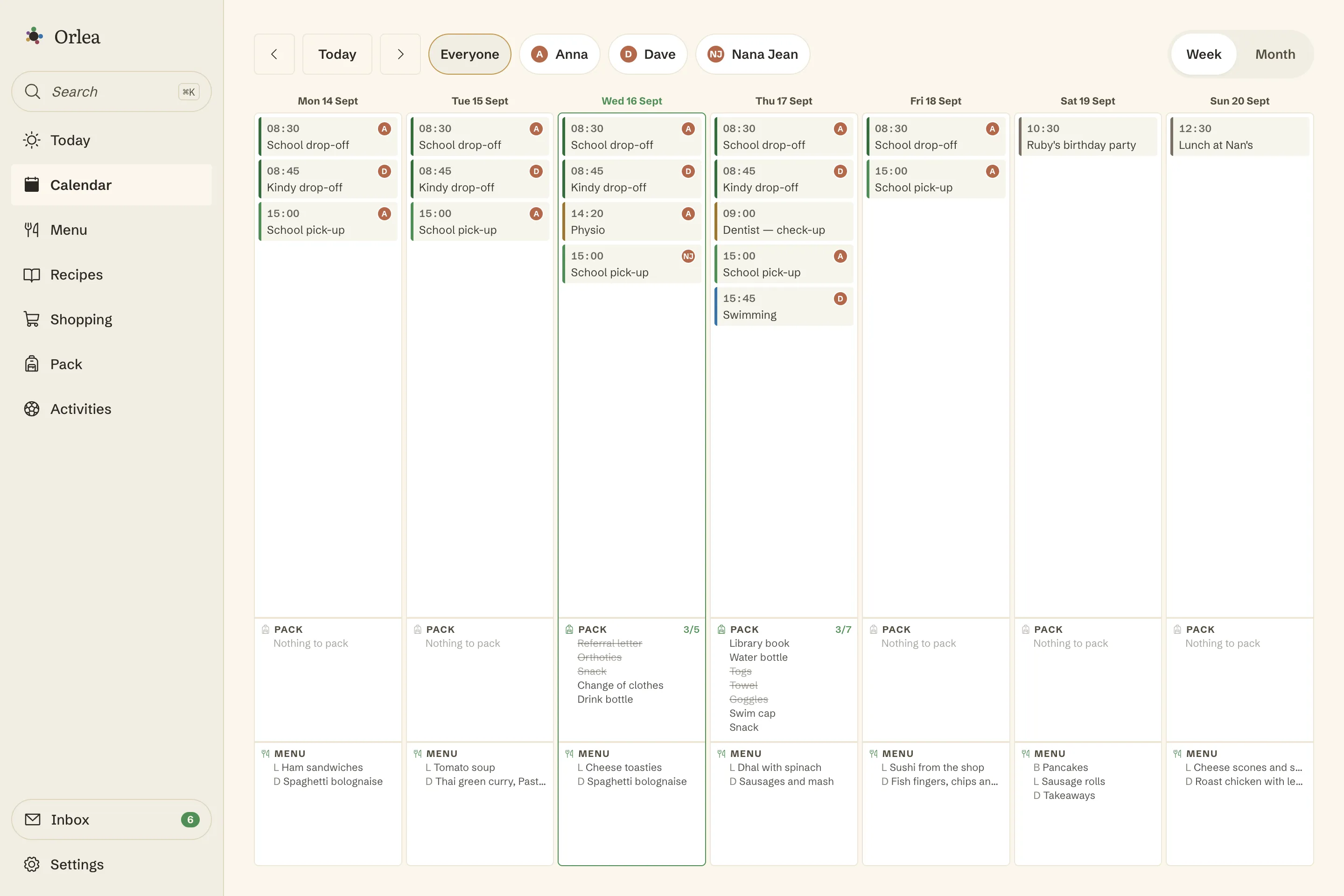
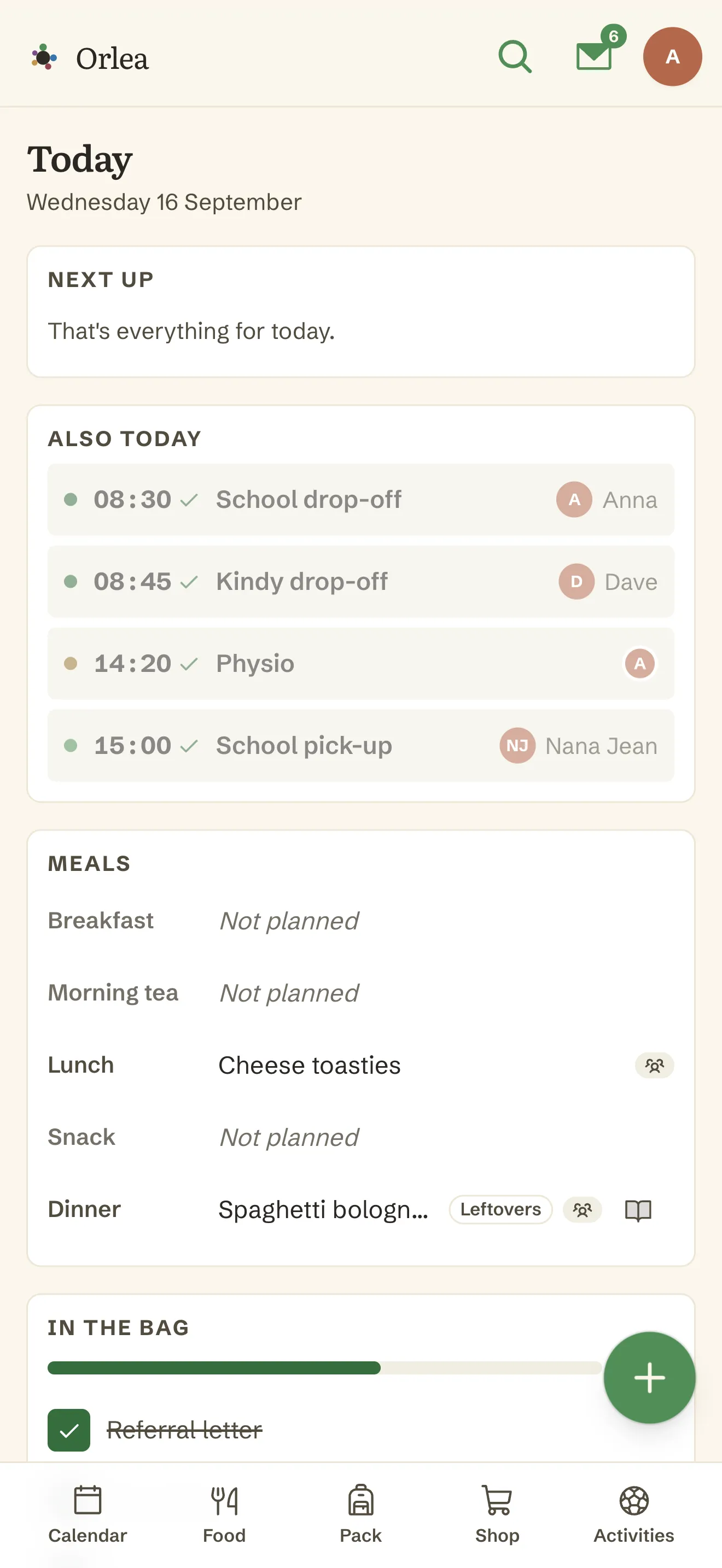
Ten things, one place.
- 01TodayToday's events, meals and pack progress on one screen.
- 02CalendarWho's covering it, and who it's about. Filter by either.
- 03Calendar invitesReal calendar invites, emailed to whoever's covering.
- 04Shared inboxForward an invite or a recipe; Orlea proposes what to do.
- 05Family rolesGrandparents and babysitters, without the keys.
- 06ActivitiesKeep the places worth going, then schedule one in a tap.
- 07Weekly menuFive slots a day, and different dinners at one table.
- 08RecipesTyped, pasted or imported - then scaled and cooked.
- 09Shopping listsSorted into the order you walk your shop.
- 10Packing listsKit attached to the day or the event - and saved once.
From families using Orlea
How can Orlea help?
Describe something that can be tricky, when keeping the family organised
We use AI to match features - please leave out names and anything you'd rather not share.
Two loops, one app.
One event holds who's driving, who's being driven, and who's covering it.
Kit attaches to the event itself, and whoever's covering gets a real calendar invite.
Everyone opens the same screen and sees the same day.
The bag's packed and the right adult turns up, without the morning phone call.
Type it, paste it or drop in a link, and check the draft before it saves.
Five slots a day, suggested from what you actually cook.
The week's ingredients merged into one list, with the maths done honestly.
You walk your own aisle order, and two people see each other's ticks live.
Today in ten seconds, on one screen.
Today's drop-offs and pick-ups with who's covering them, what's on, what's for dinner, and what goes in the bag.
More about TodayShow less
- Built phone-first for the ten-second check
- Today's events, meals and pack progress stacked in one view
- A first-run card walks a brand-new family through naming a child and inviting the other adults - and disappears once you're set up
It knows the difference between who's driving and who's being driven.
Every event says both who's covering it and who it's about. Filter by either. Find out in one tap what this week looks like for one child, or for you.
More about the calendarShow less
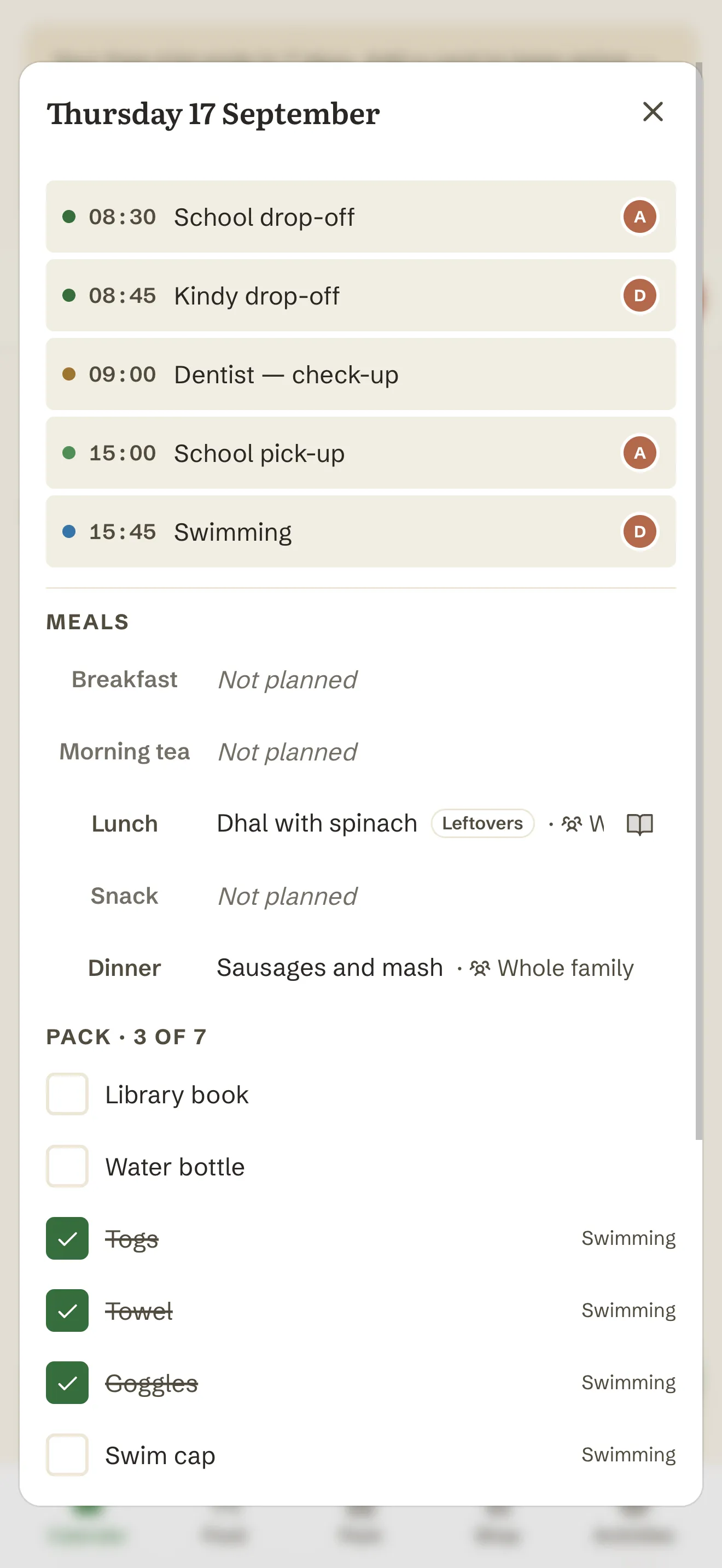
- Month, week, and a day panel that stacks events, meals and pack items together
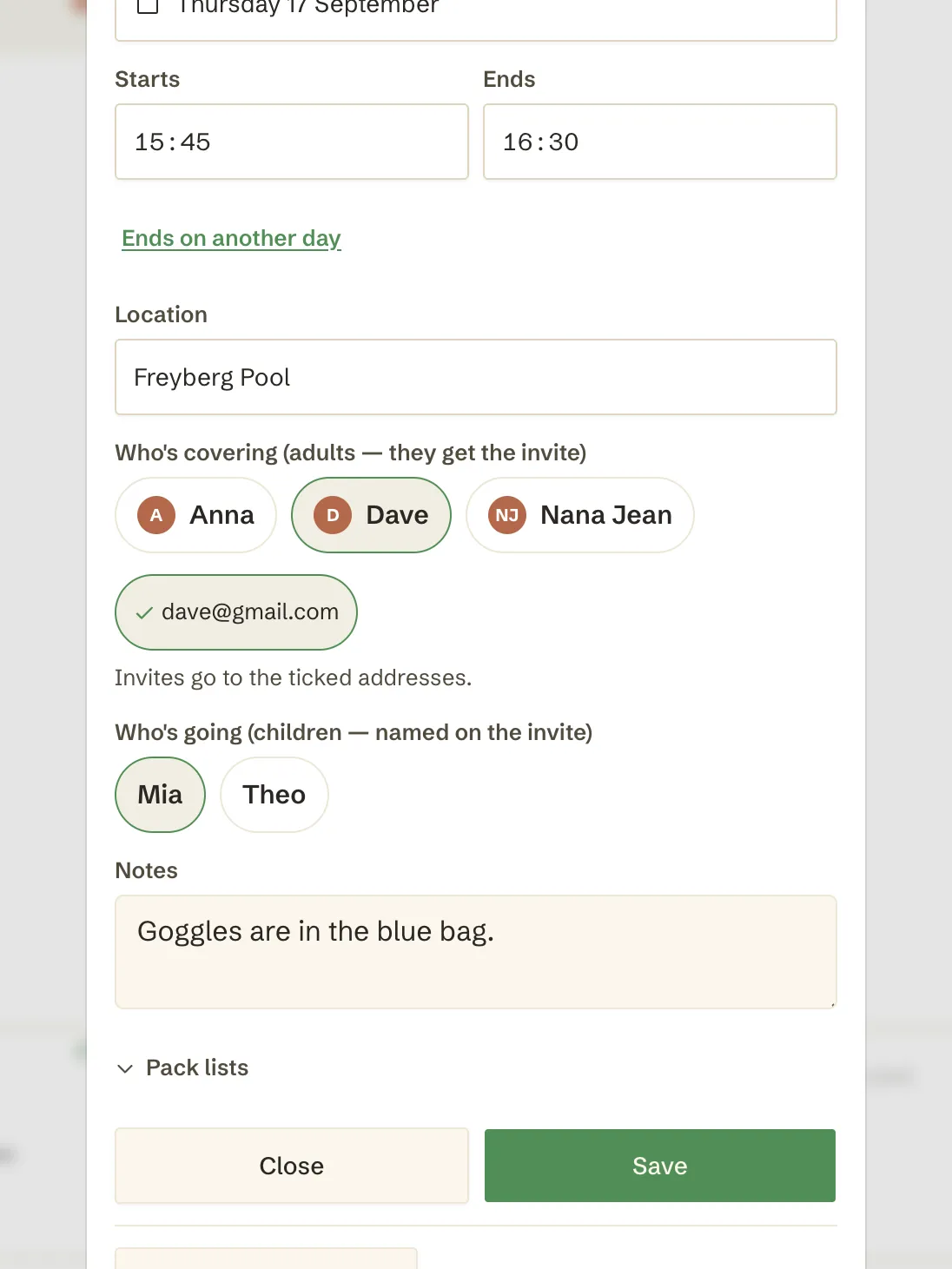
- Family defaults for times, places and durations - setting up a drop-off is about two taps
- Easy to setup event repeat options
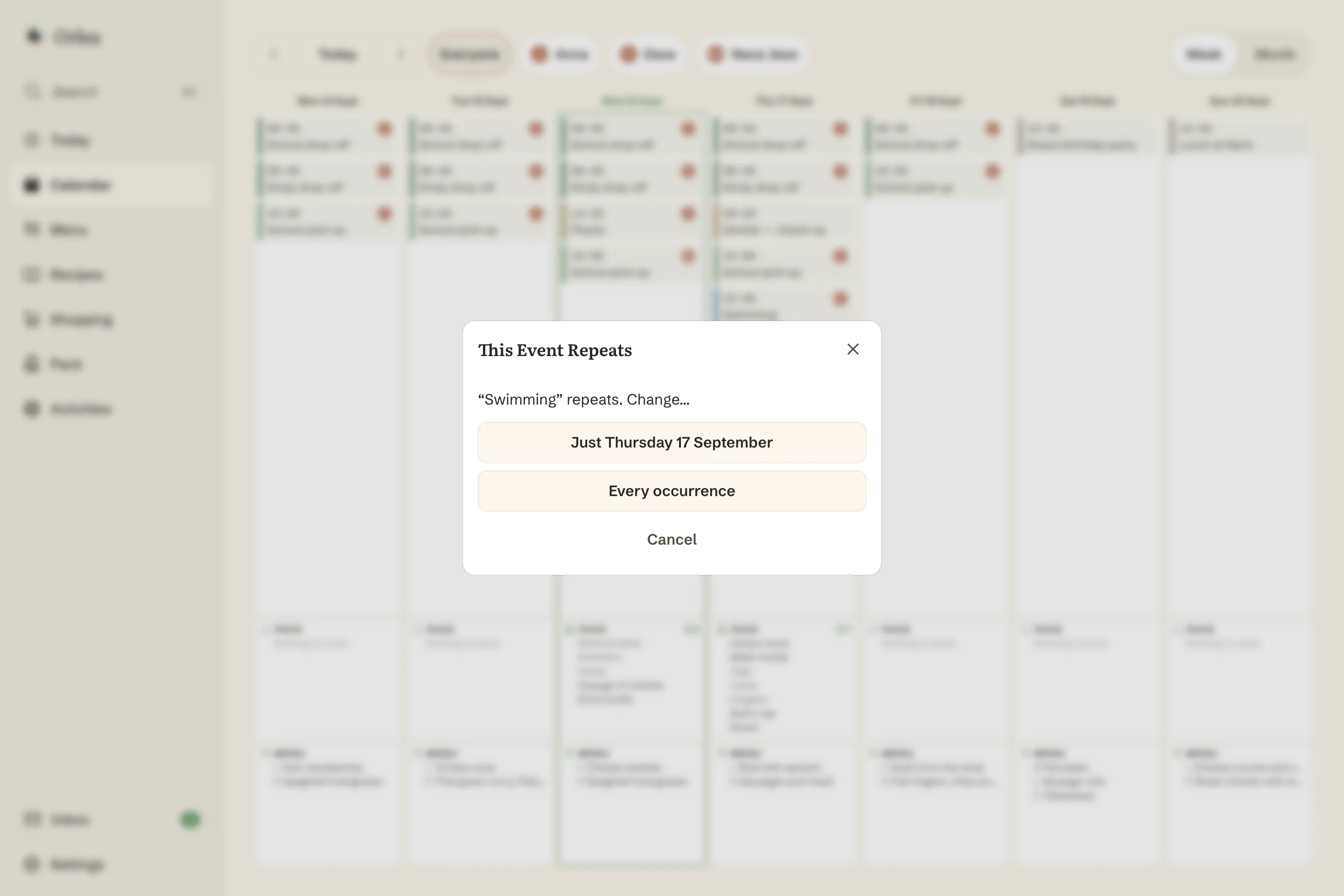
- Drag and drop, and it asks whether you mean this one or every one
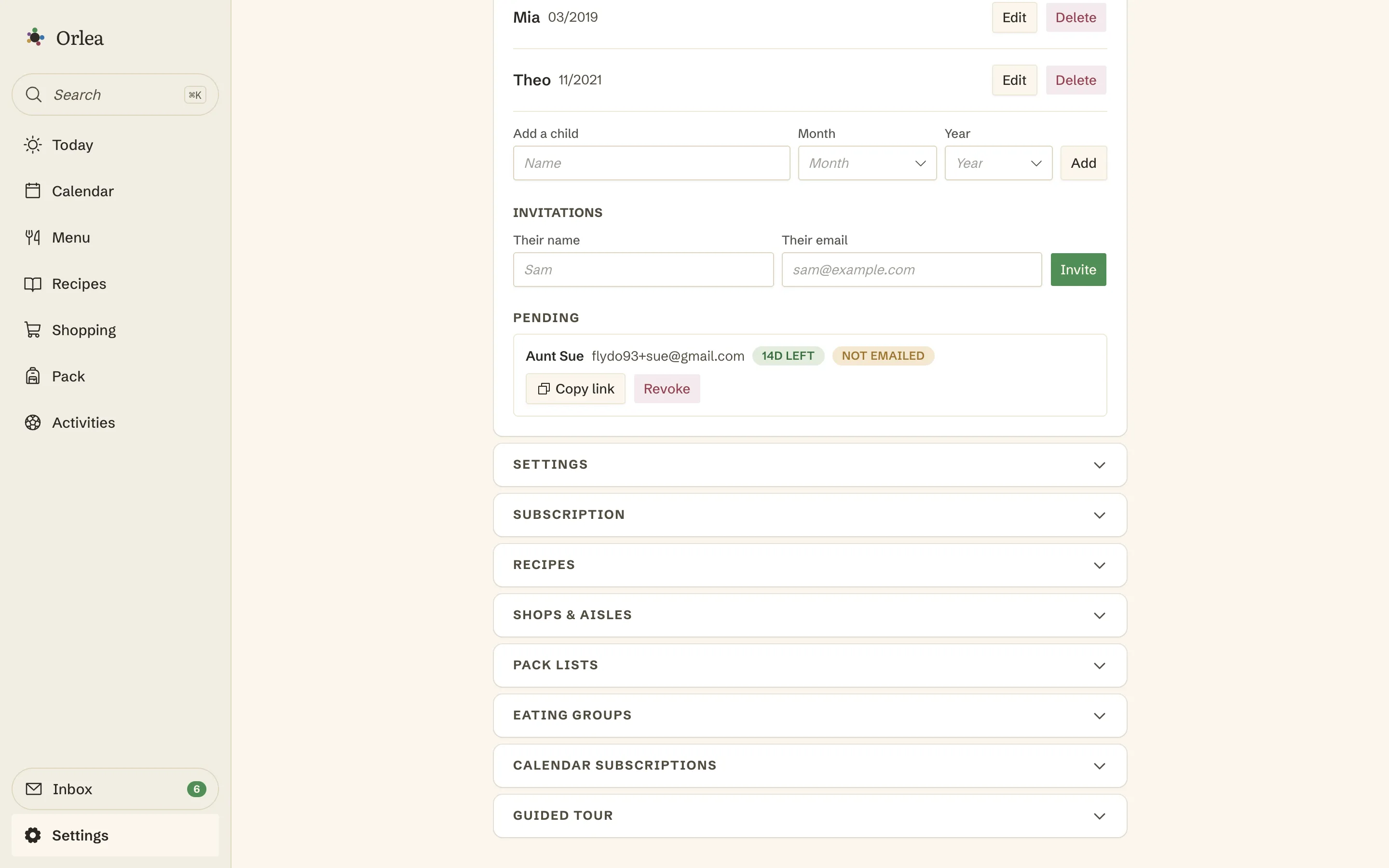
- Invites are single-use, expiring and revocable
Orlea doesn't nag people to check an app. It emails them the invite.
Assign an event to someone and they get a real calendar invite - the proper kind, that lands in Google or Apple Calendar as an actual event they can accept. Your partner never has to open Orlea if they don't want to.
More about calendar invitesShow less
- Update the invite that's already in their calendar, instead of piling up duplicates
- Cancellations go to exactly the people who got the original invite
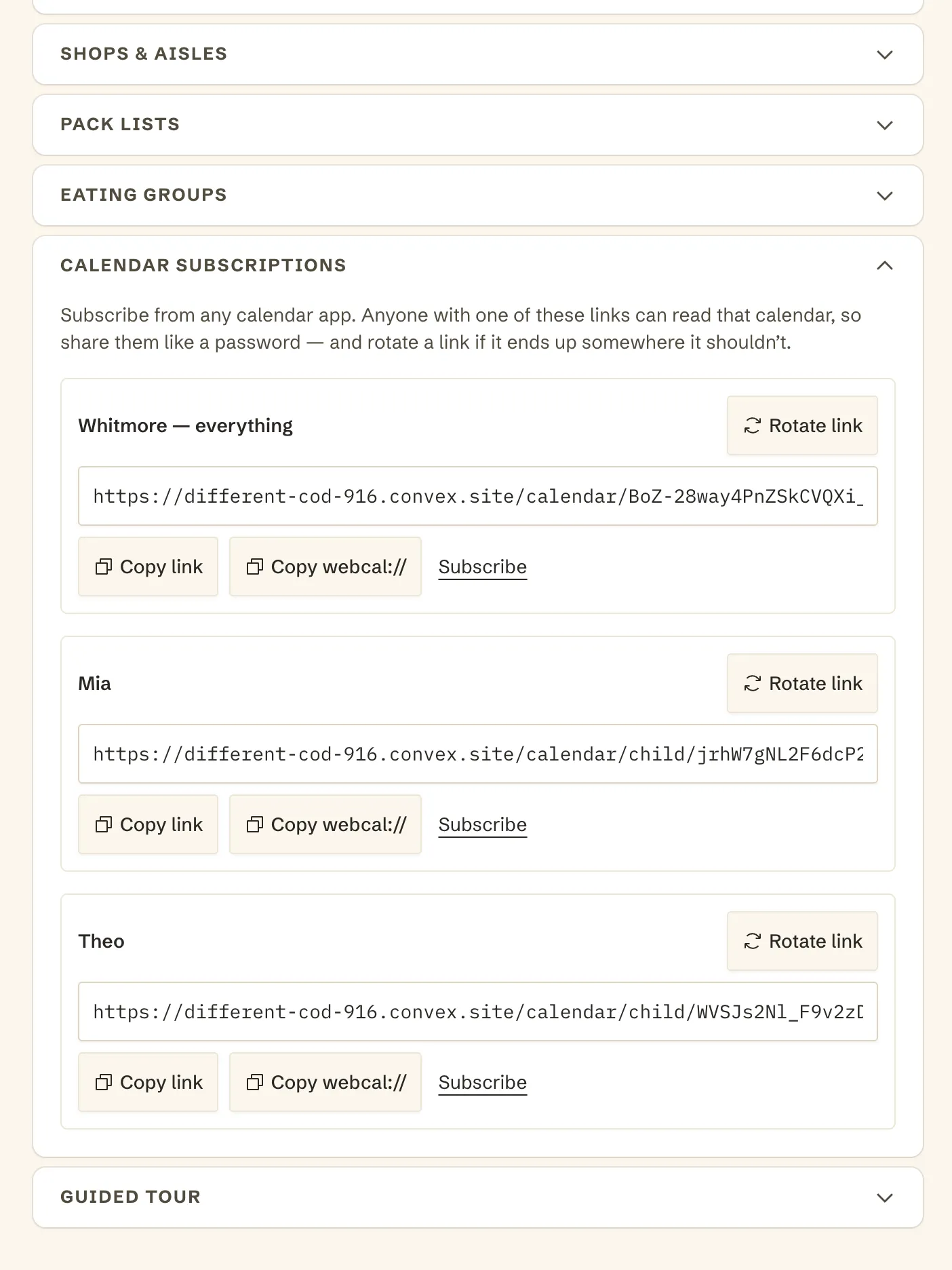
- Subscribe to a feed for the whole family, or one per child - in any app that reads a calendar URL
- Each feed has its own link you can rotate if it ever gets shared too widely
- No Google account needed. Orlea never holds anyone's login and never writes to their calendar
Forward it, and stop retyping it.
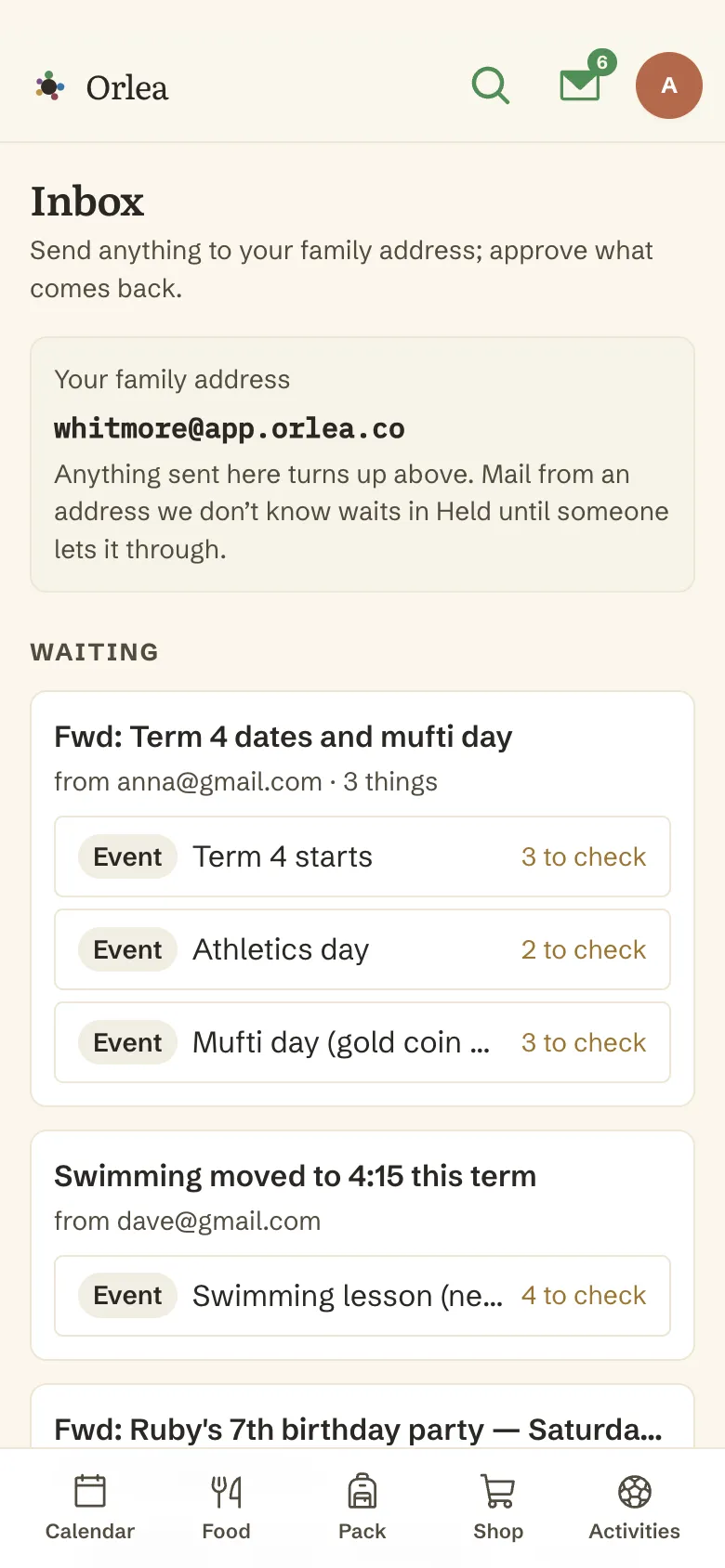
Your family gets its own email address. Send it a party invitation, a school notice, a recipe or somewhere you would like to go, and Orlea proposes the calendar entry, the recipe or the activity. You approve it - nothing is created on its own.
More about the shared inboxShow less
- Send it however it arrived - typed in the email, a photo or a screenshot of the notice, or the PDF the school attached. What is attached gets read, not just what is typed
- A real calendar invitation stays a real one, with accept and decline intact - and its time comes from the invitation itself, not from a guess
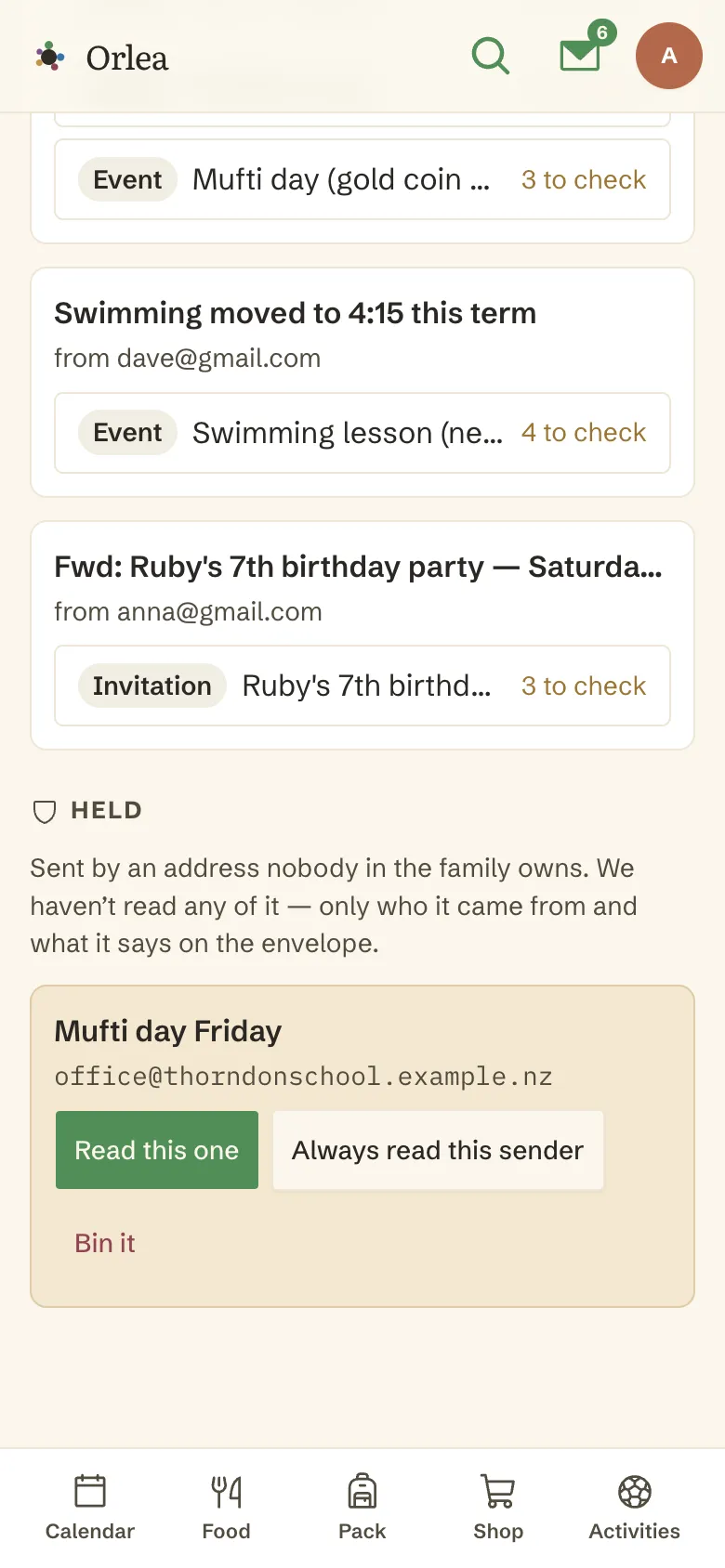
- Email from anyone you have not trusted is held, and nothing reads it - not a person, not a model - beyond who sent it and what it is called
- Trusting a sender is its own decision, separate from releasing one message, so the school newsletter gets in because you said so
- Both parents see the same inbox, so nothing sits in one person's email
Grandparents and babysitters, and all without giving away the keys.
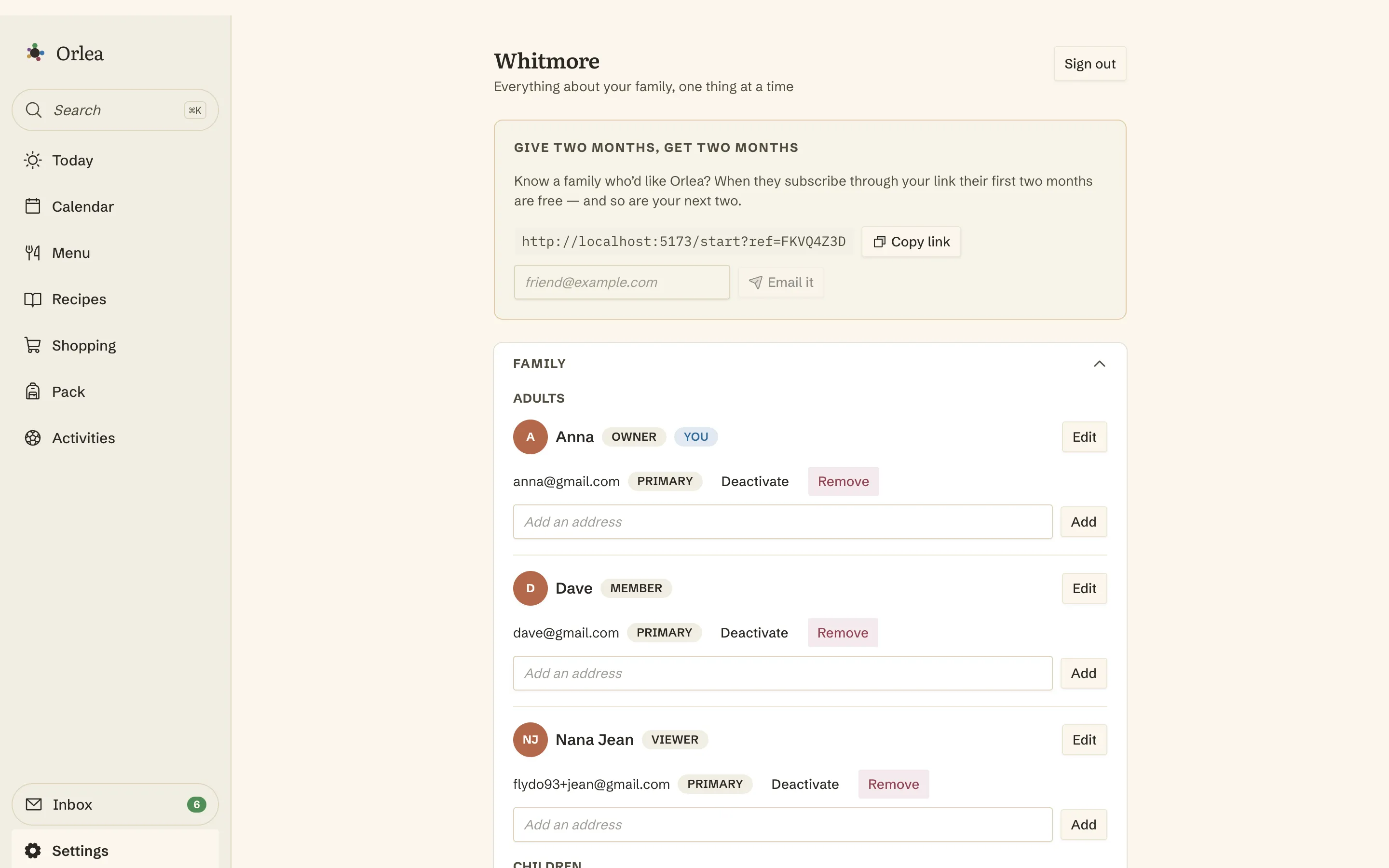
Three roles. Primary caregivers run the family. Members do everything day to day. And view-and-tick sees the whole week and can tick off the pack list and the shopping.
More about family rolesShow less
Access to all features in Orlea, plus manage family members and invitations, and create shop layouts.
Create events, choose meals and upload recipes, and add items to packing and shopping lists. The day-to-day running of the family.
Can see everything, tick off packing and shopping items, and edit nothing. Enough to pack the bag and do the shop, and no more.
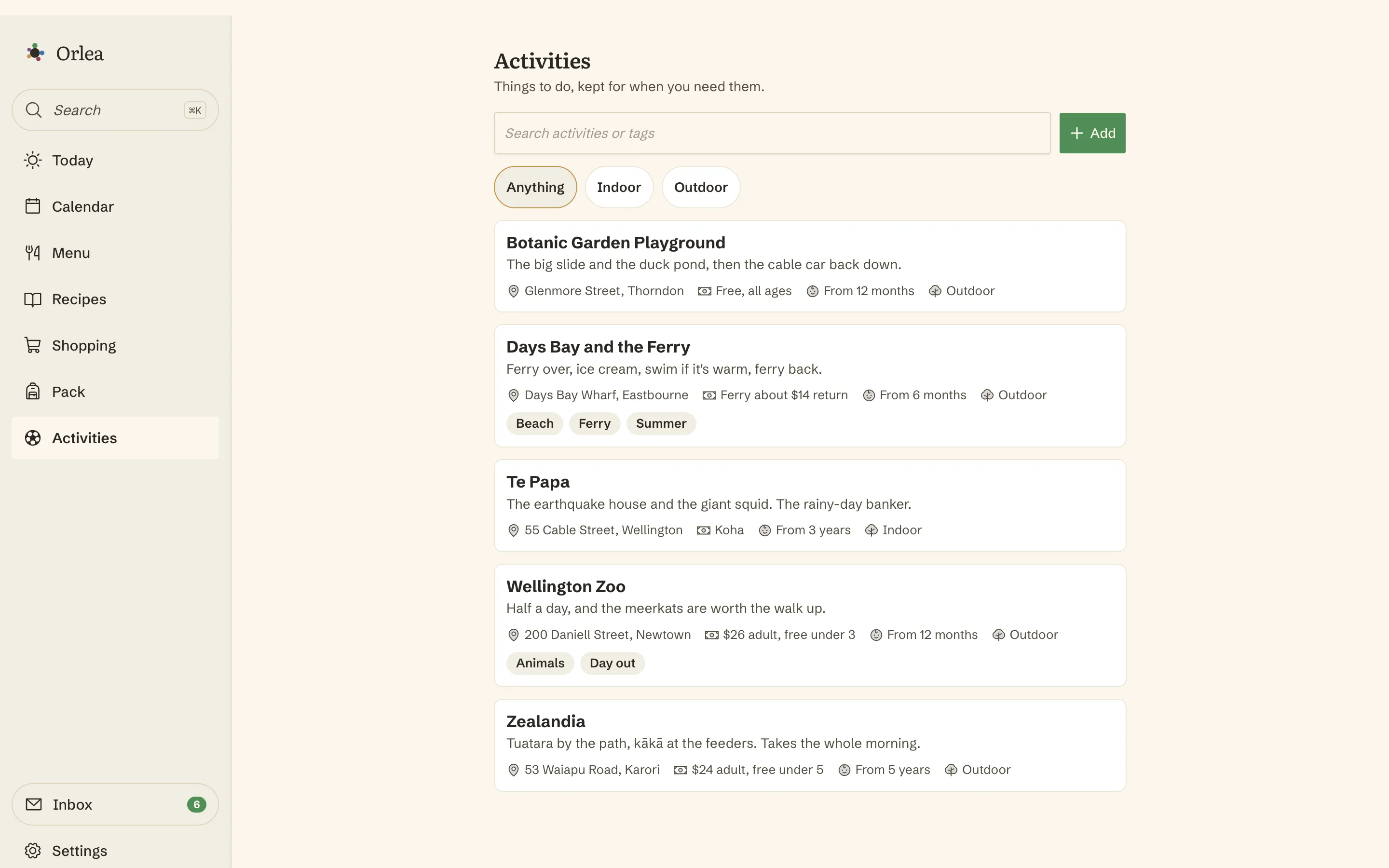
Somewhere to keep the good ideas, before you need one.
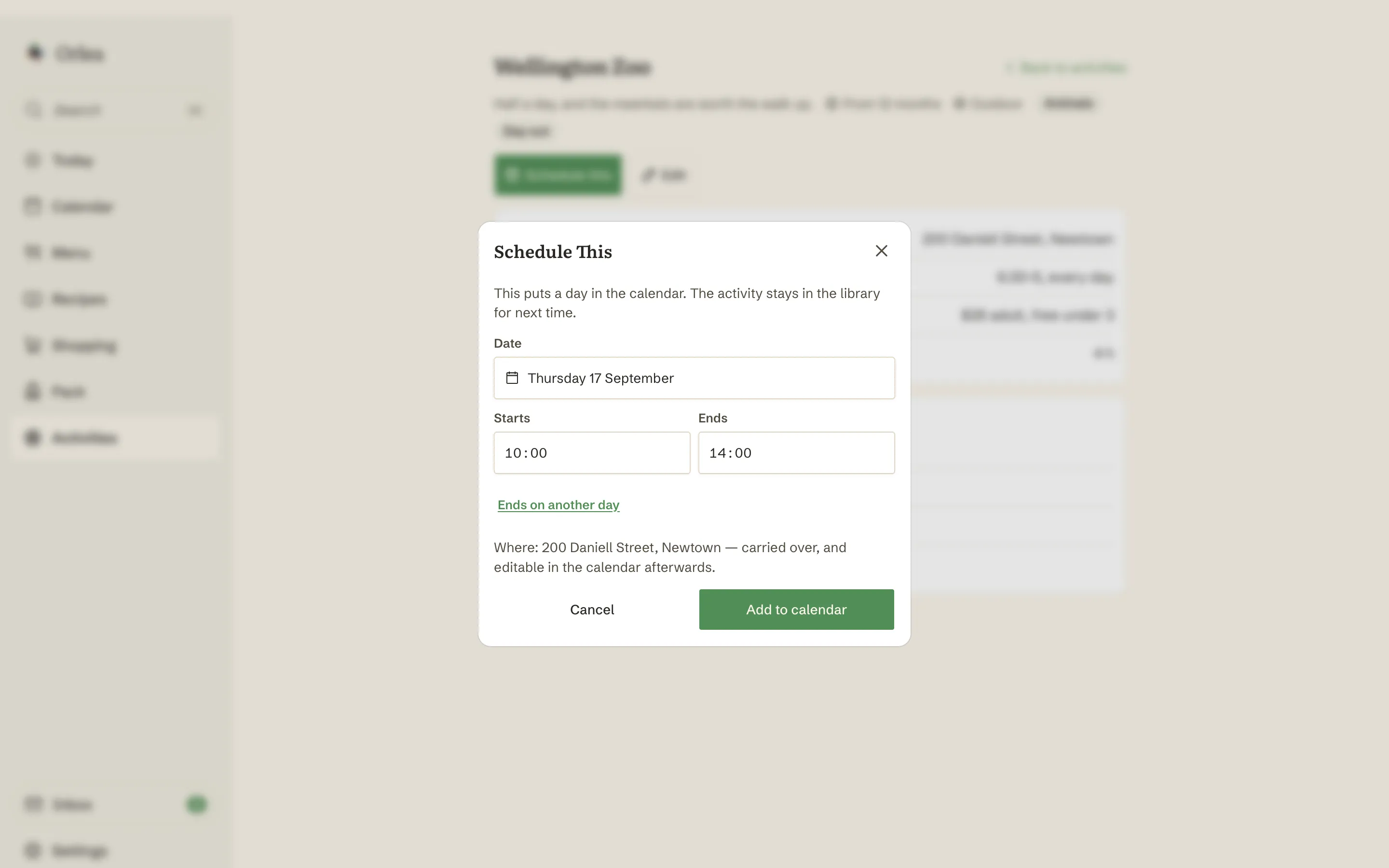
An activity is to a day out what a recipe is to dinner. Type one in, paste the details someone sent you, or import it from a link - then turn it into a day on the calendar when you're ready.
More about activitiesShow less
- The same three ways in as recipes - typed, pasted text, or URL import, each with a review first
- Cost, opening hours and ages in plain words - "koha", "10-4, closed Mondays", "free under 2" - because that is how they are actually written
- Schedule this makes an ordinary calendar event, so it filters, colours and exports like everything else on the calendar
- Kit suggestions come along, straight onto the packing list for that day
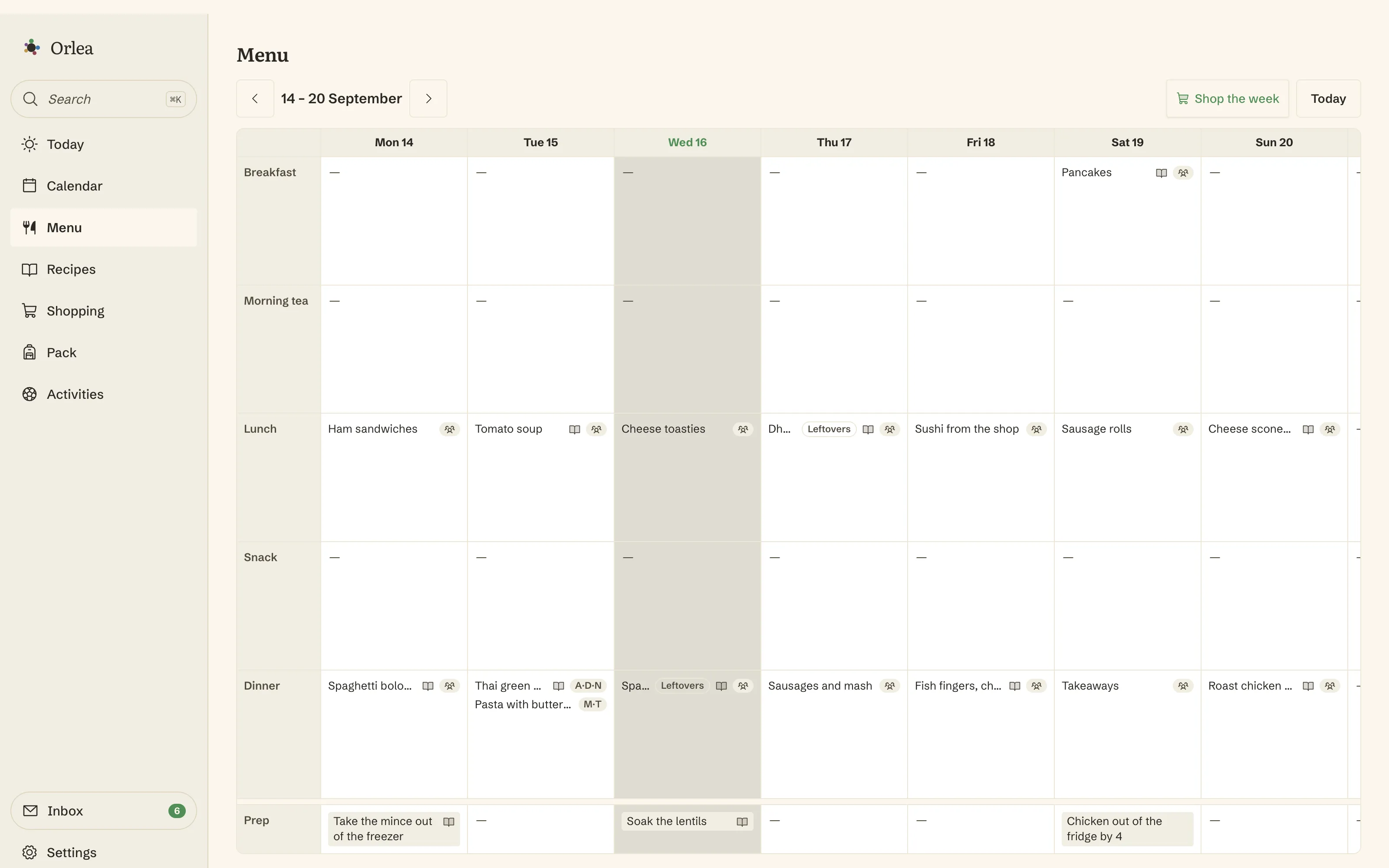
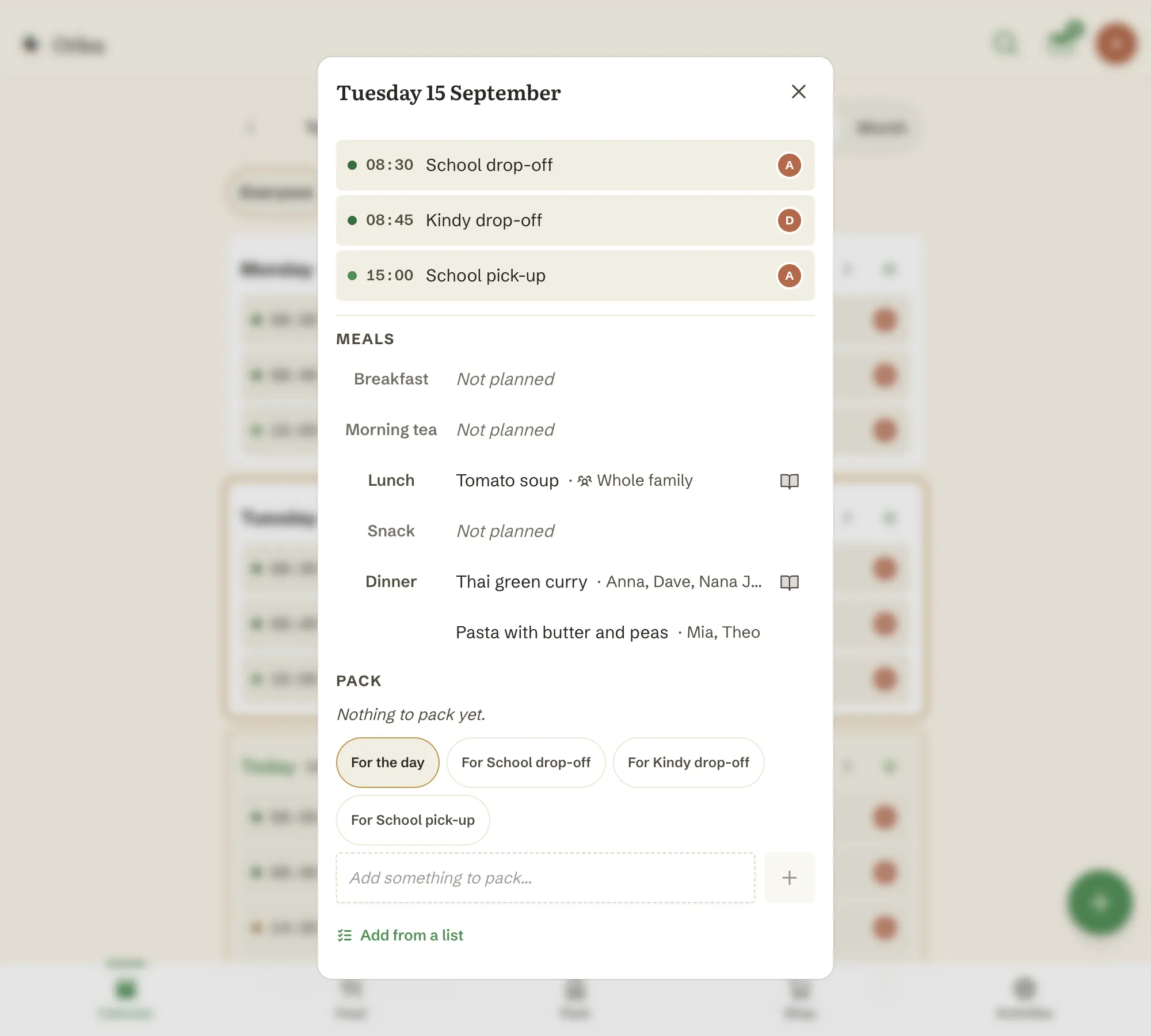
The week's meals, decided once.
Monday to Sunday, five slots a day. It suggests from what you actually cook, ranked by how often you cook it - so the weeknight staples come up first. And when the adults are having the curry and the four-year-old is having pasta, one meal can say both.
More about the weekly menuShow less
- Breakfast, morning tea, lunch, snack, dinner - title plus notes on any slot
- Autosuggest ranked by what you cook most
- Link a slot to a recipe and it feeds the shopping list
- Drag to swap two meals and they swap cleanly
- Different dinners at one table: add an alternative to any meal and name who it's for, adults and children alike. The week still shows one title a cell; the day spells the rest out
- An alternative can link its own recipe, and be marked leftovers on its own - and shop the week buys the lot, not just the main
- Save the people who usually eat the same thing as a group - the grown-ups, the little ones - and picking one ticks them all
Your choices, with AI smarts to make them interactive recipes.
Paste the text off a website, drop in a URL, or type it yourself. You see exactly what Orlea drafted before anything saves.
More about recipesShow less
- Search and tags
- Three ways in - typed, pasted text, or URL import, each with a review first
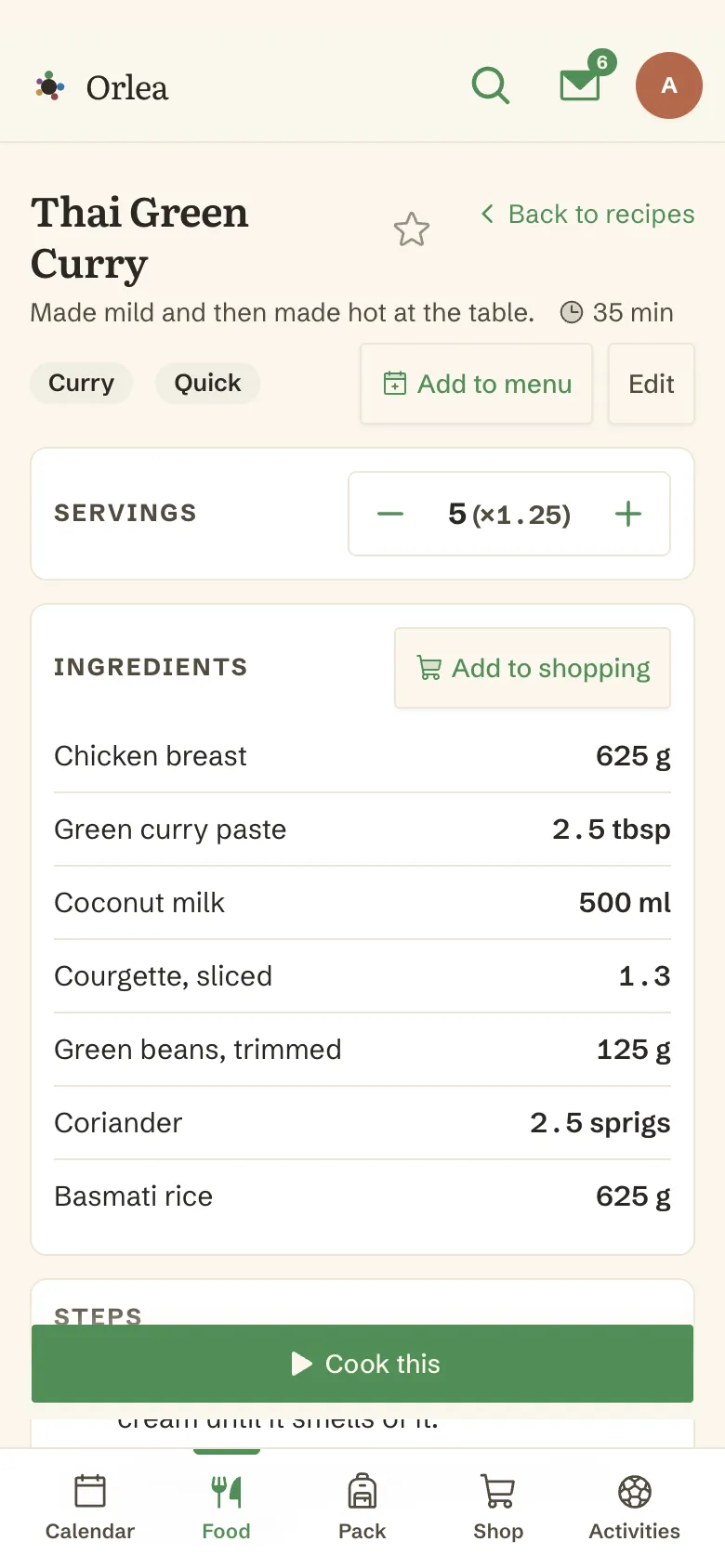
- Scale the servings and the amounts follow
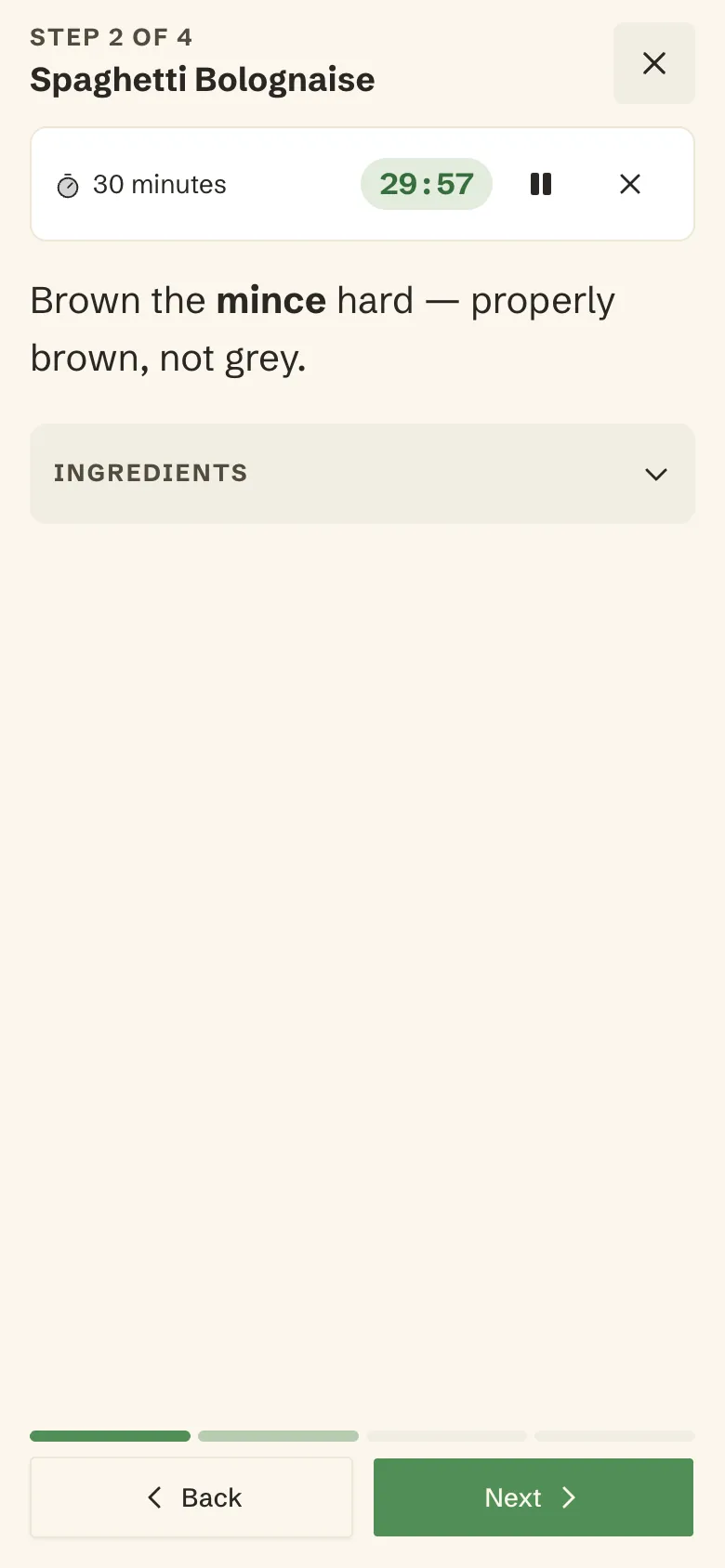
- Cook mode: prep checklist built from your ingredient notes, one step at a time, timers inline, and the screen stays on while your hands are covered in flour
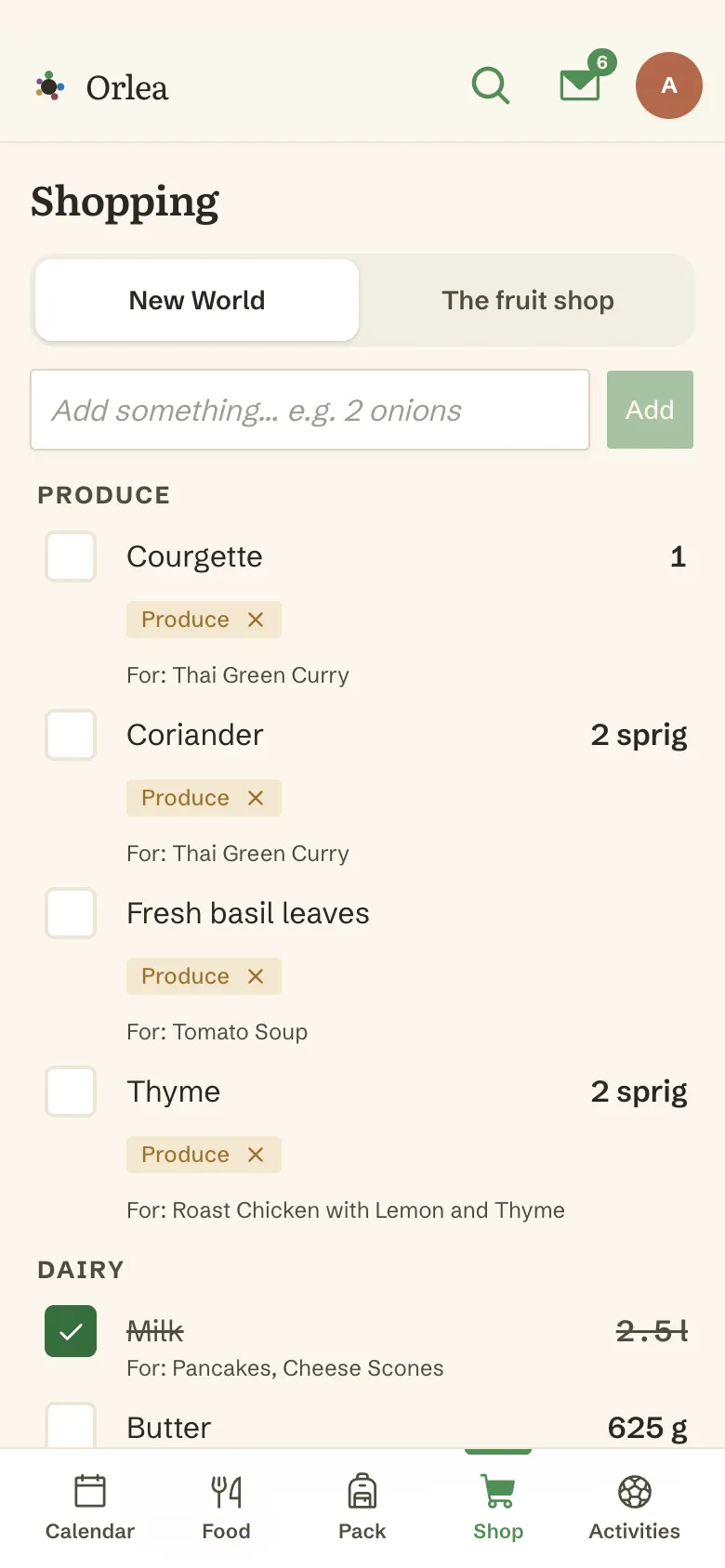
A list in the order you walk through your shop.
Two people in the same shop see each other's ticks live.
More about shopping listsShow less
Aisle order that learns
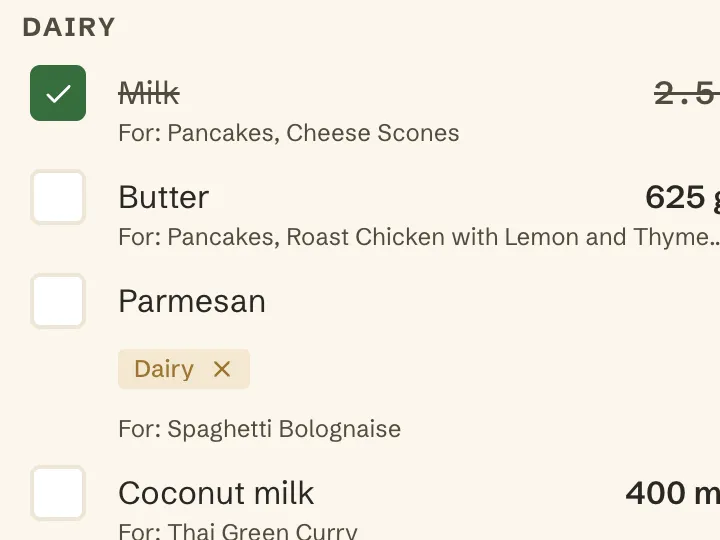
One list per shop, sectioned in your walking order. Type “milk” and it files itself in ‘Dairy’. Move something to where it actually lives, and the next one like it goes there too - per shop, because your two supermarkets aren't laid out the same.
Honest maths
It merges duplicates by what the thing actually is, and adds up what can be added. Where it knows the density it'll turn cups into grams. Where it doesn't, it says so instead of guessing. Every line shows which recipes wanted it.
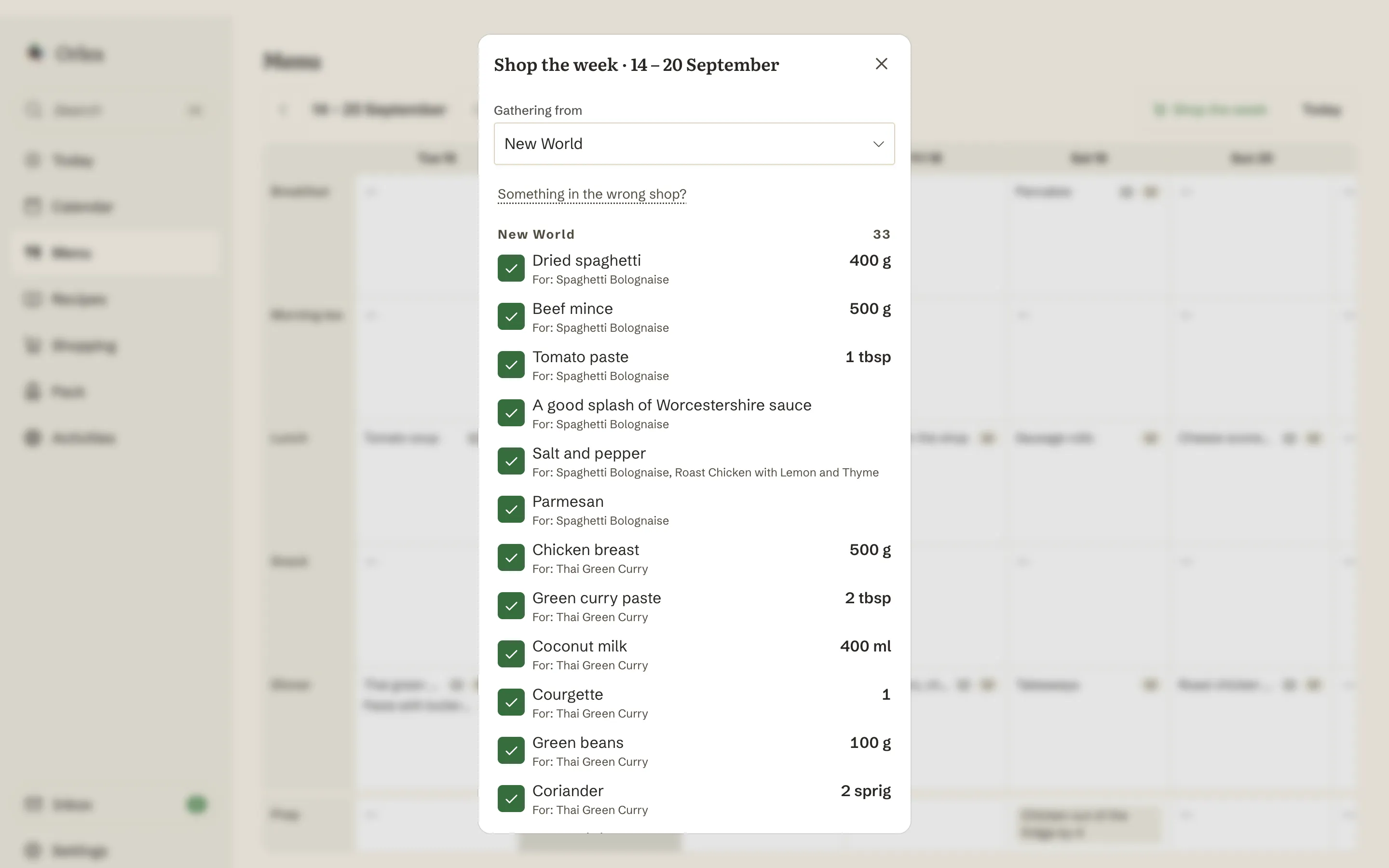
Shop the week
Pull the ingredients from every recipe-linked meal in the week into a proposed list in one go. Or add from a single recipe. Import your shop's aisle layout with a dry run first, so you can see what it'll do before it does it.
What actually needs to be in the bag.
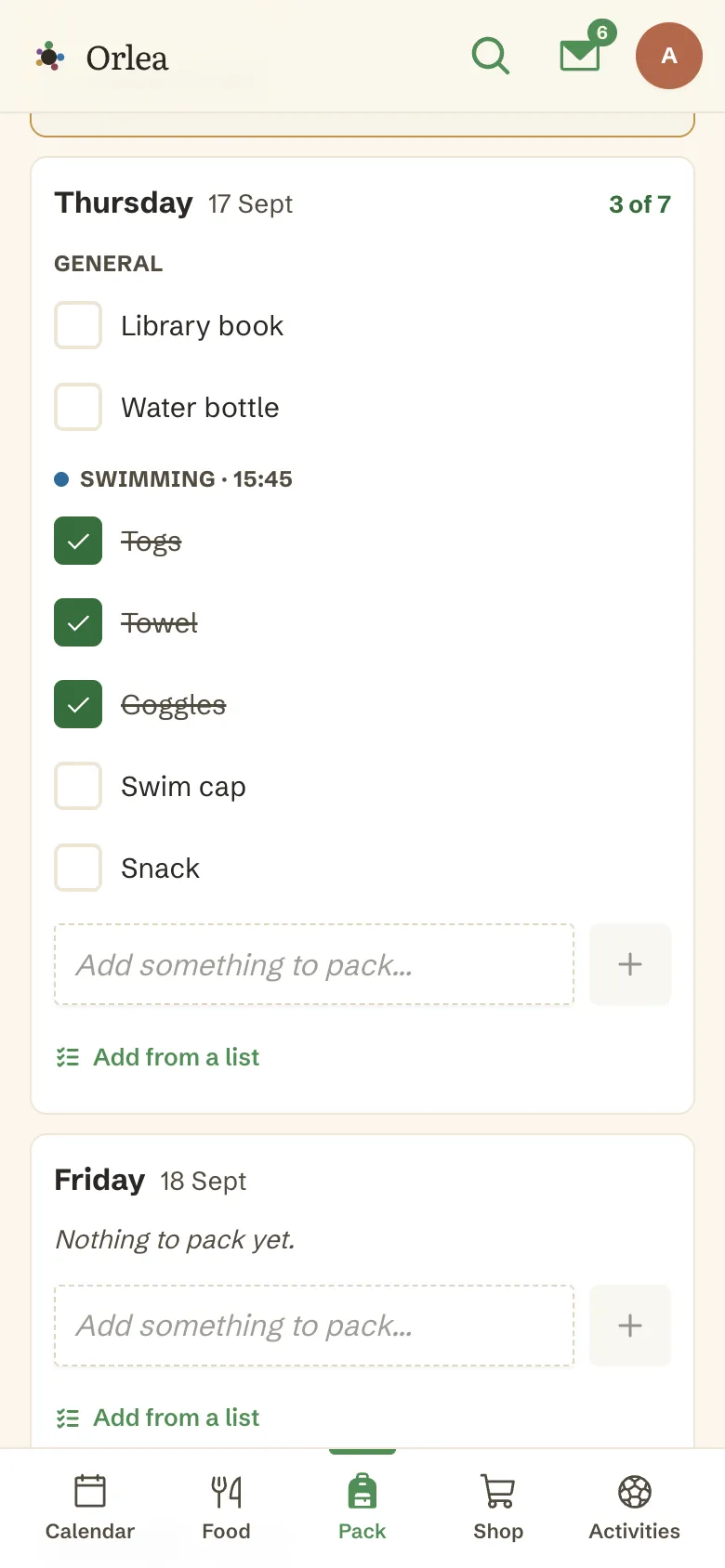
Togs on Tuesday, library book on Thursday, mufti day money on Friday. Attach items to a day, or to the event itself - so swimming gear lives under swimming, not somewhere in a list. And for the bag that's the same every single time, save the list once and add it in a tap.
More about packing listsShow less
- The week's kit at a glance
- Items scoped to a day or to a specific event; event items group under their event
- A repeating event's occurrences share one list - set it up once
- Anyone can tick, including view-only members. Grandad can pack the bag and you'll see it
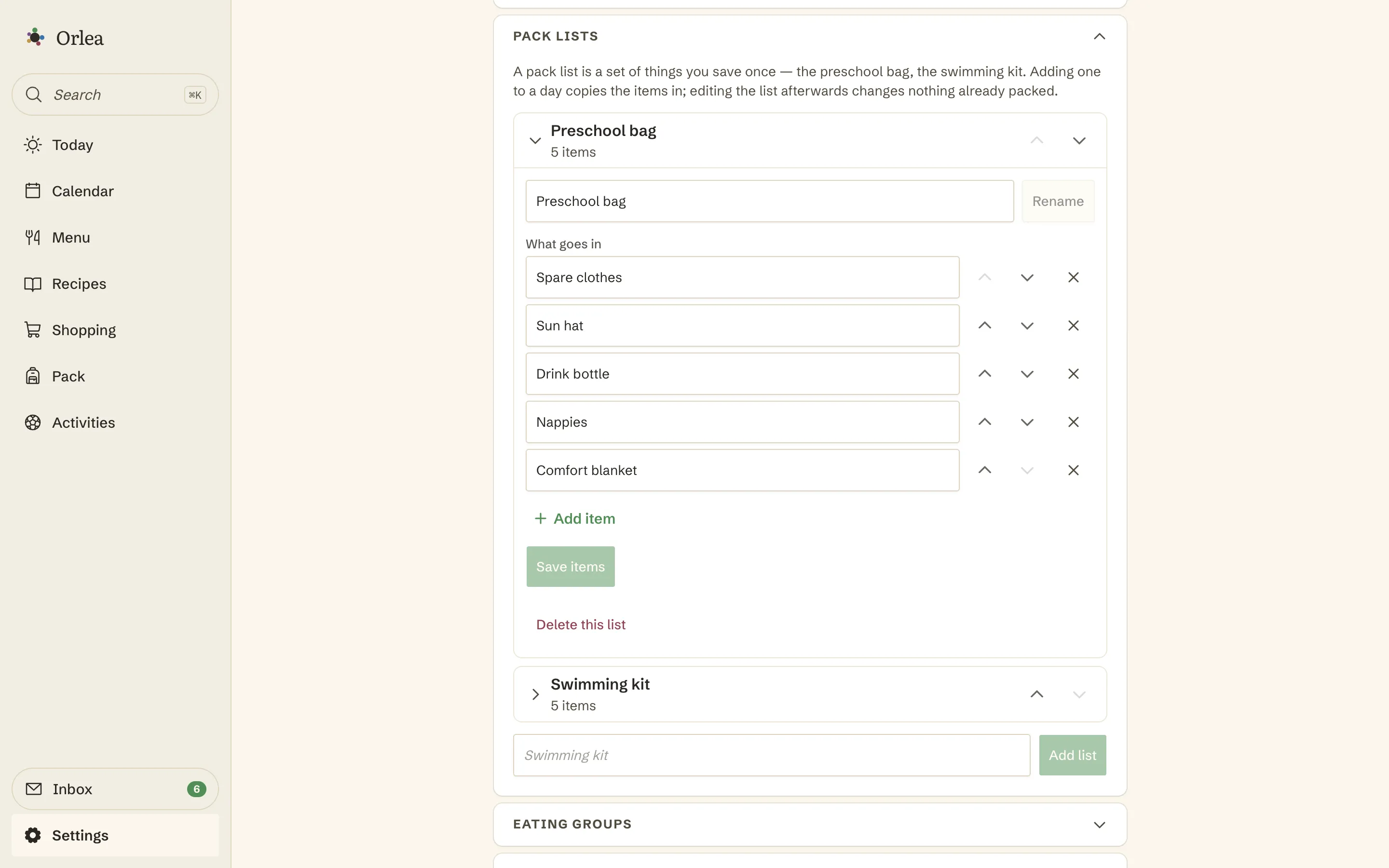
- Standard lists for the bags that never change - “Preschool bag”, “Swimming kit” - saved in settings, then attached to an activity, to a single event, or to nothing at all
- Nothing lands in a bag on its own. The day offers the list - “Add the Swimming kit (5 items)?” - and one tap copies it in as ordinary items you can rename, tick and delete
Simple pricing, to not add to the clutter
$9.99 per month per family. Nothing more.
How you get started…
Sign up and a family appears, along with sensible defaults and a placeholder child. Name the child, invite other caregivers and add tomorrow's pick-up.
That's the couple of minutes - everything else can wait until you need it.
Get started free